
AI or Not Quiz: Can you spot the red flags in these 5 AI portraits?
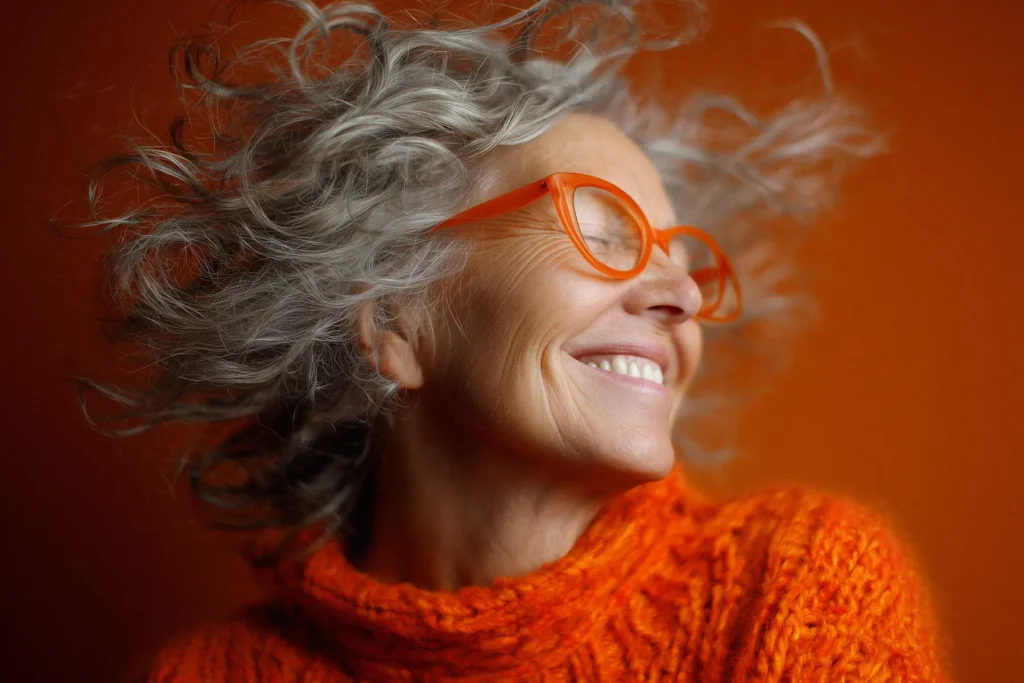
Today the internet is flooded with AI images that look real. In many cases, it has become very difficult to tell the difference between a real photograph and an image created by artificial intelligence. But if you look closely, small mistakes and strange details often start to appear.
In this AI or Not quiz, you will examine five realistic AI portraits and try to spot the red flags that reveal whether the image is real or AI-generated.
1. A women by the waterfront
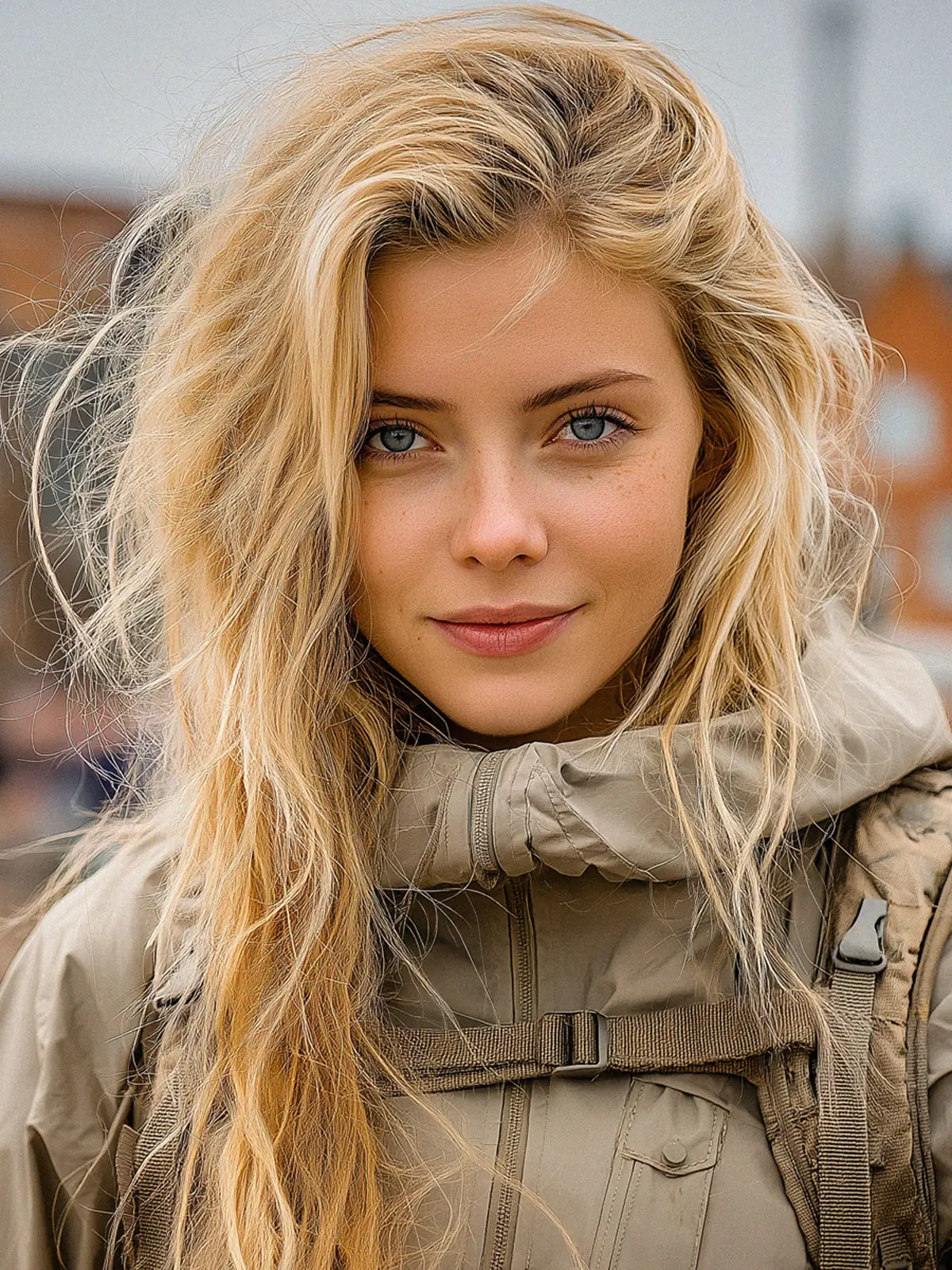
This realistic AI image of a Scandinavian woman by the waterfront looks convincing at first glance. But as with many AI-generated portraits, the illusion starts to fall apart when you examine the details more closely.
Challenge: Find three AI mistakes. Look closely before revealing the answers.
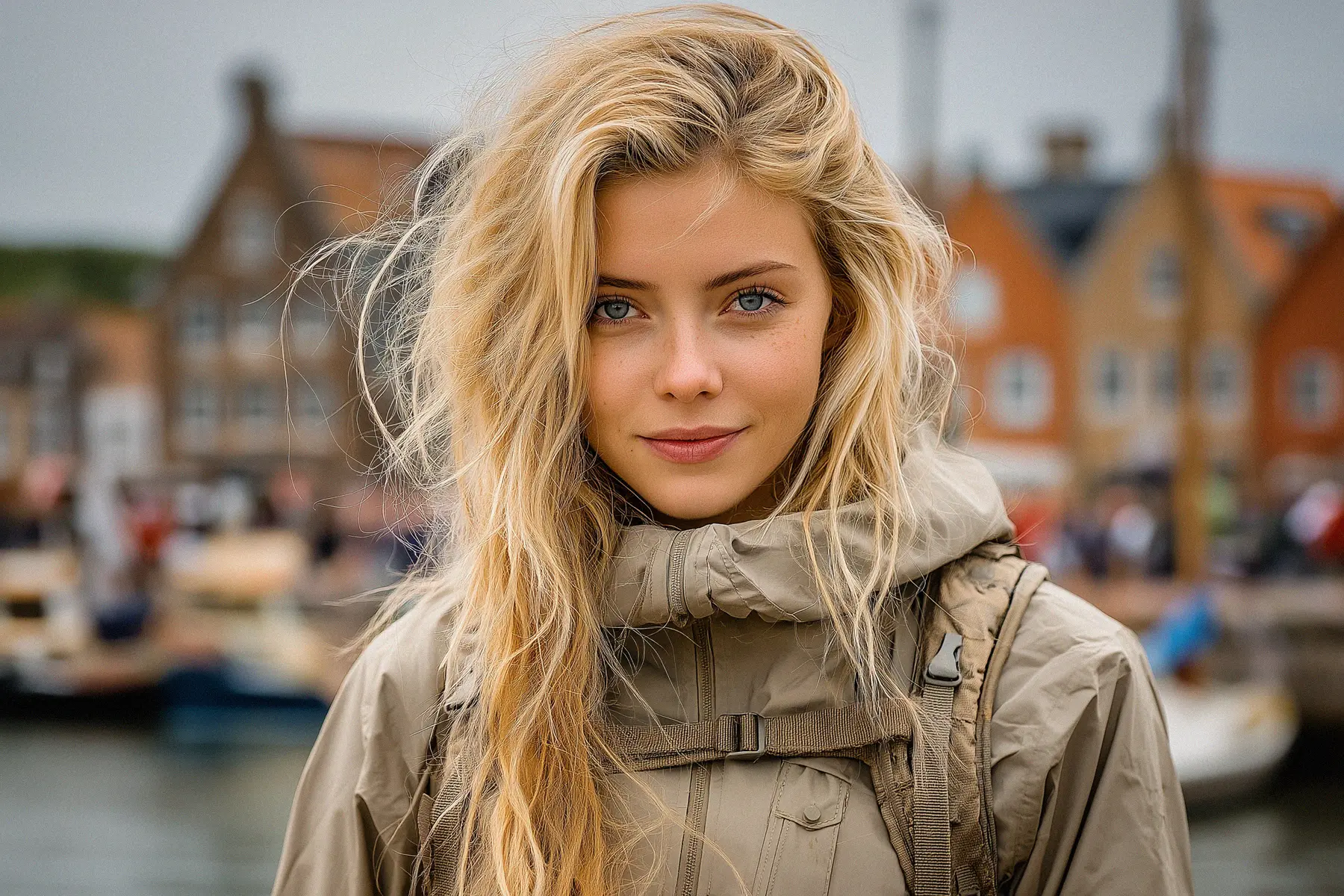
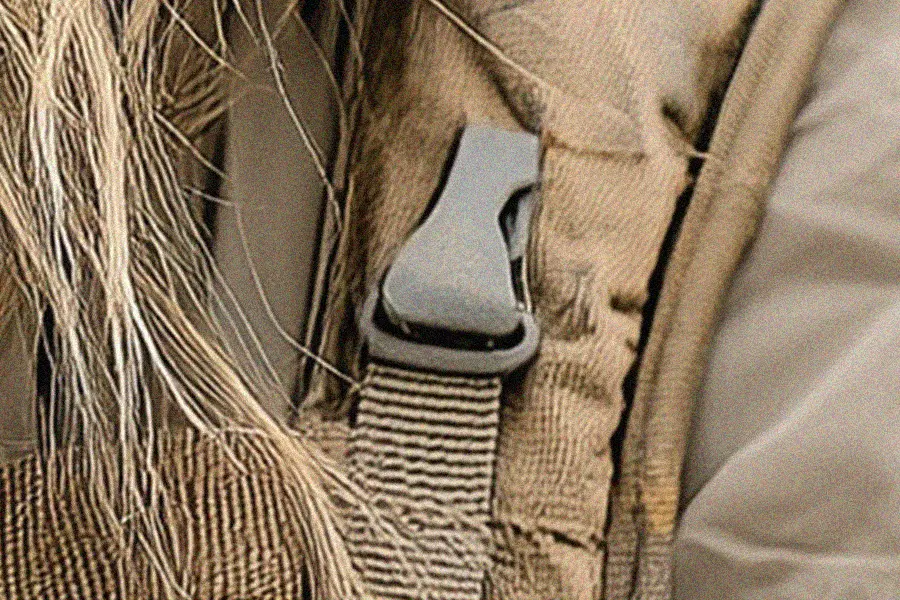
The buckle doesn’t line up
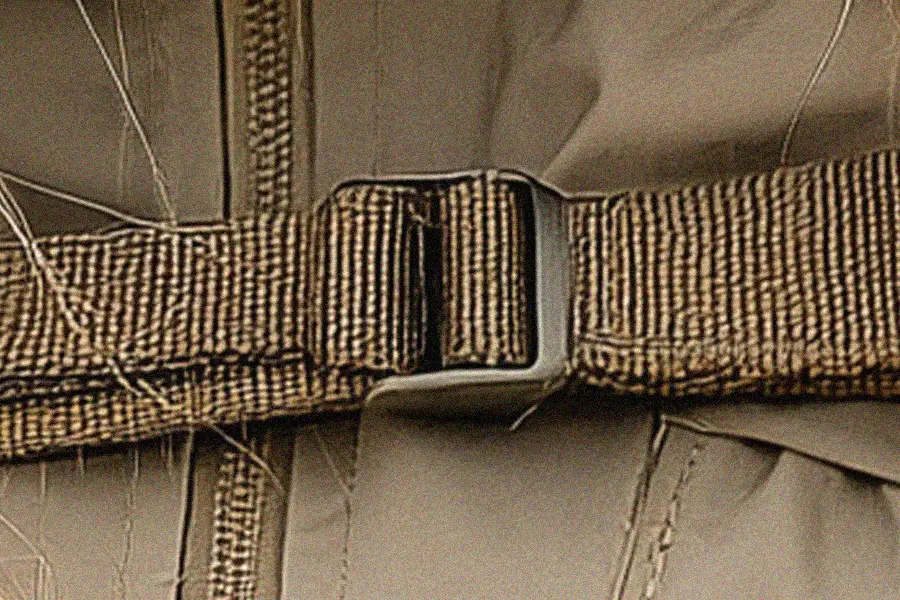
At first glance, the strap and buckle look perfectly normal. But if you examine the buckle more closely, something feels off. One side of the buckle is longer than the other, and the shape isn’t symmetrical.
In reality, a machine that manufactures buckles like this would produce them with perfect symmetry every time. Small inconsistencies like this are a common sign of AI-generated images.
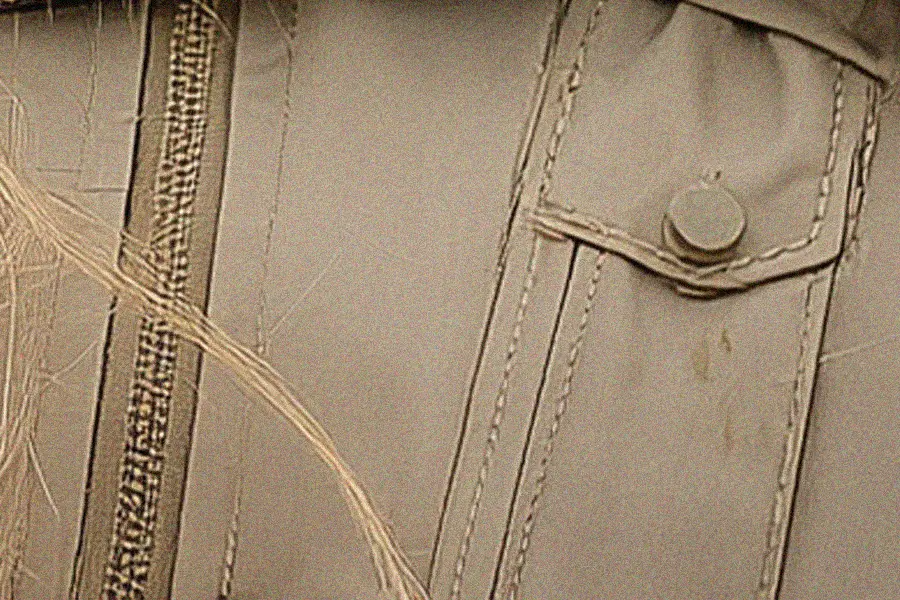
The pocket and stitching don’t make sense
Take a closer look at the pocket next to the zipper. The pocket is tilted at a strange angle that doesn’t match the straight line of the zipper beside it. On a real jacket, these elements would normally be aligned and carefully constructed.
The stitching also looks random and uneven. Some seams run in odd directions and don’t follow the shape of the pocket. If this pocket were actually opened, the construction would likely fall apart. Details like inconsistent stitching and unrealistic construction are common clues in AI-generated images.
The buckle looks unnatural
Just like in the first example, this buckle also looks slightly strange. The strap and the clip don’t seem to attach naturally to each other or to the surrounding fabric.
Small details like this often reveal that the image was generated by AI.
2. The AI Horse Portrait
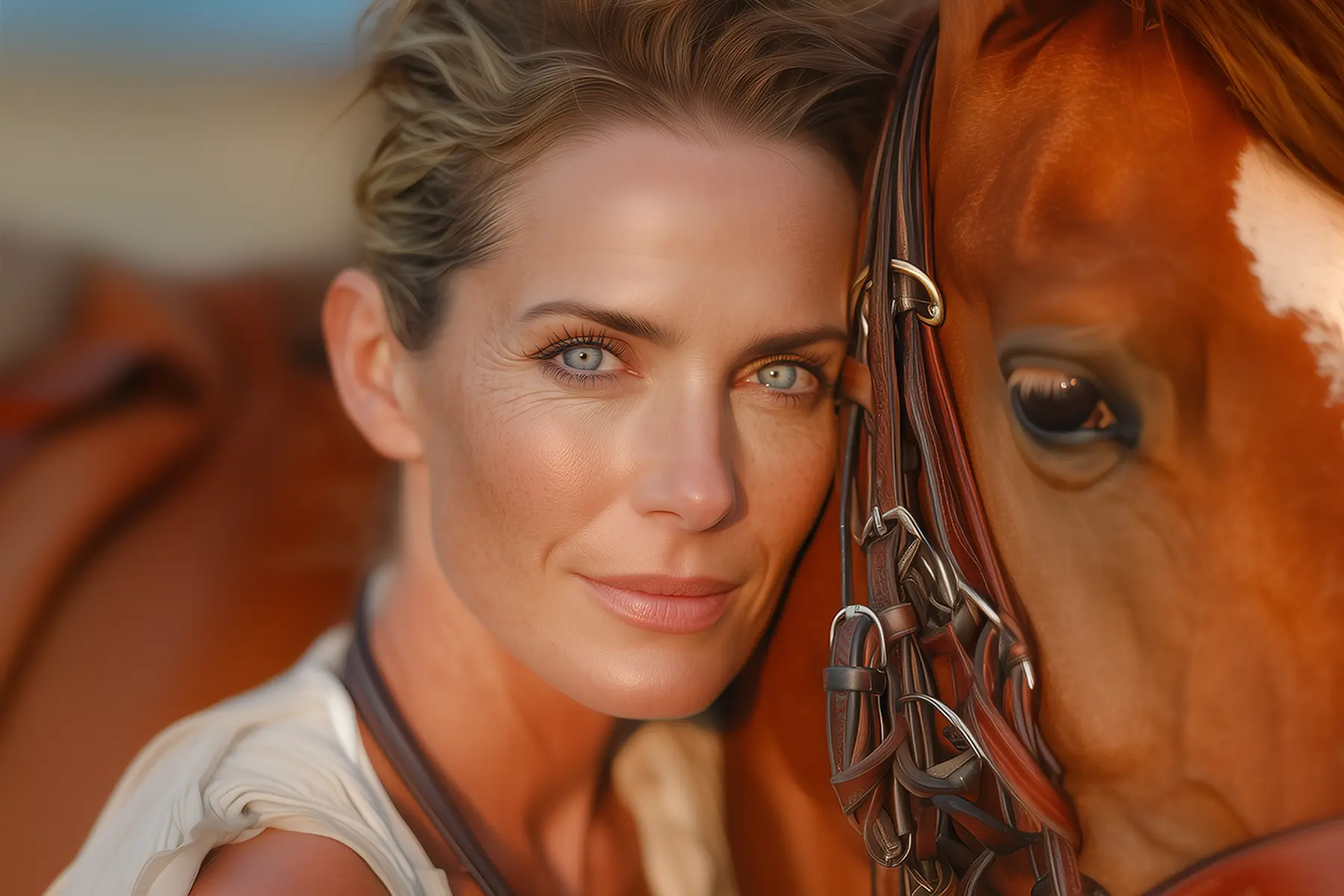
This portrait looks like a real moment captured at golden hour. The lighting feels natural, the skin texture looks believable, and the horse’s coat has rich detail. But don’t let the warmth fool you. In images like this, the giveaway is often hiding in the small, technical details.
Challenge: Find two AI mistakes in the image below.
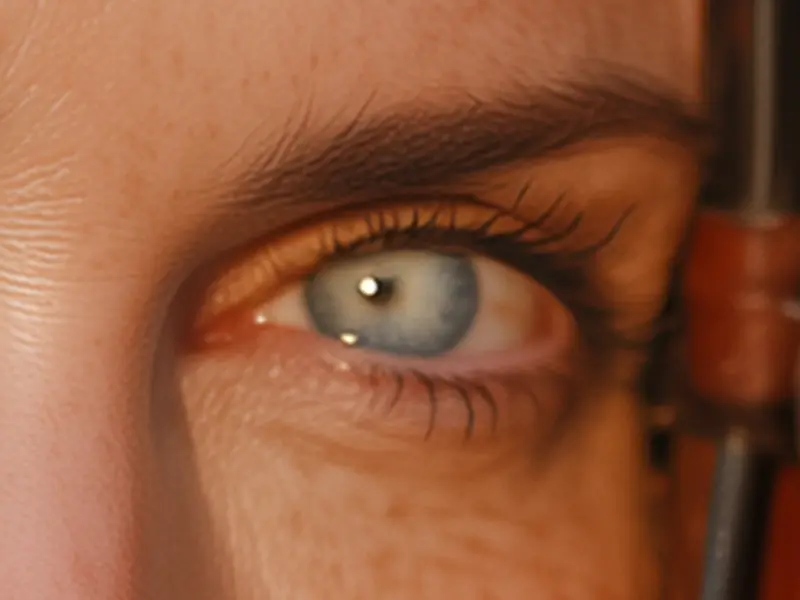
The pupil is not centered in the eye
The first mistake may be a little harder to notice, but it is actually a common issue in AI-generated portraits.
In this example, the pupil sits slightly off-center, shifted a bit to the left instead of being positioned in the middle of the eye.
In a real eye, the pupil normally sits centered within the iris.
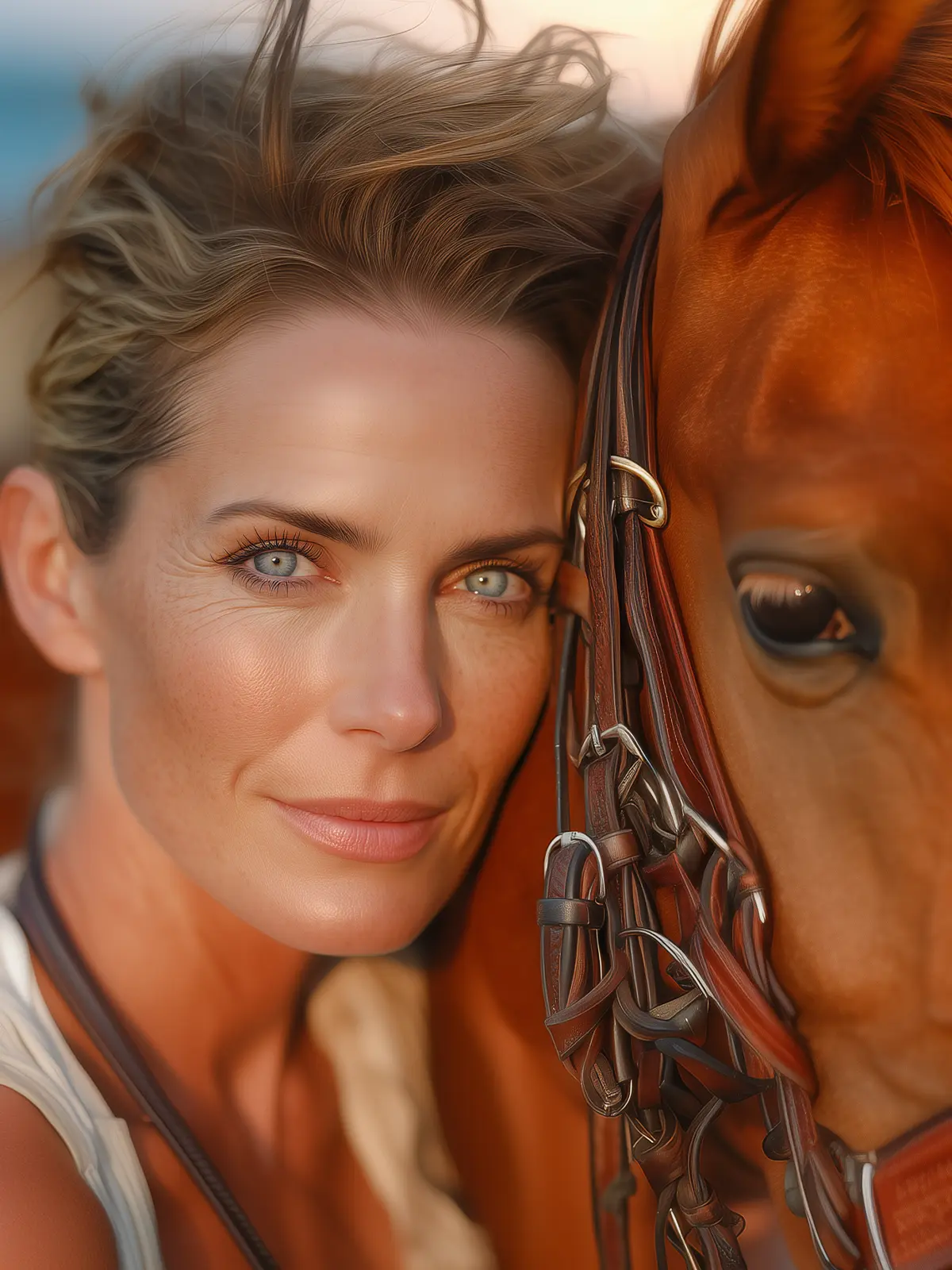
The horse’s bridle is a bit of a mess
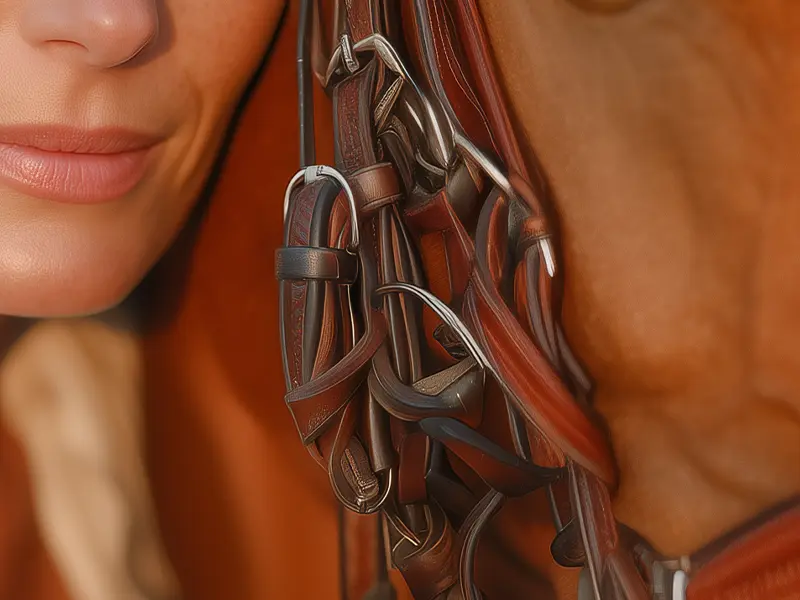
Another mistake that is easier to spot, especially for people familiar with horses, is the bridle.
The straps appear tangled together, and several metal pieces seem to merge into each other or are placed in odd positions.
Artificial intelligence often struggles with complex objects that contain many small parts that must connect correctly. As a result, the AI tries to recreate something that looks similar, but the structure rarely makes real-world sense.
3. The AI Dog Portrait
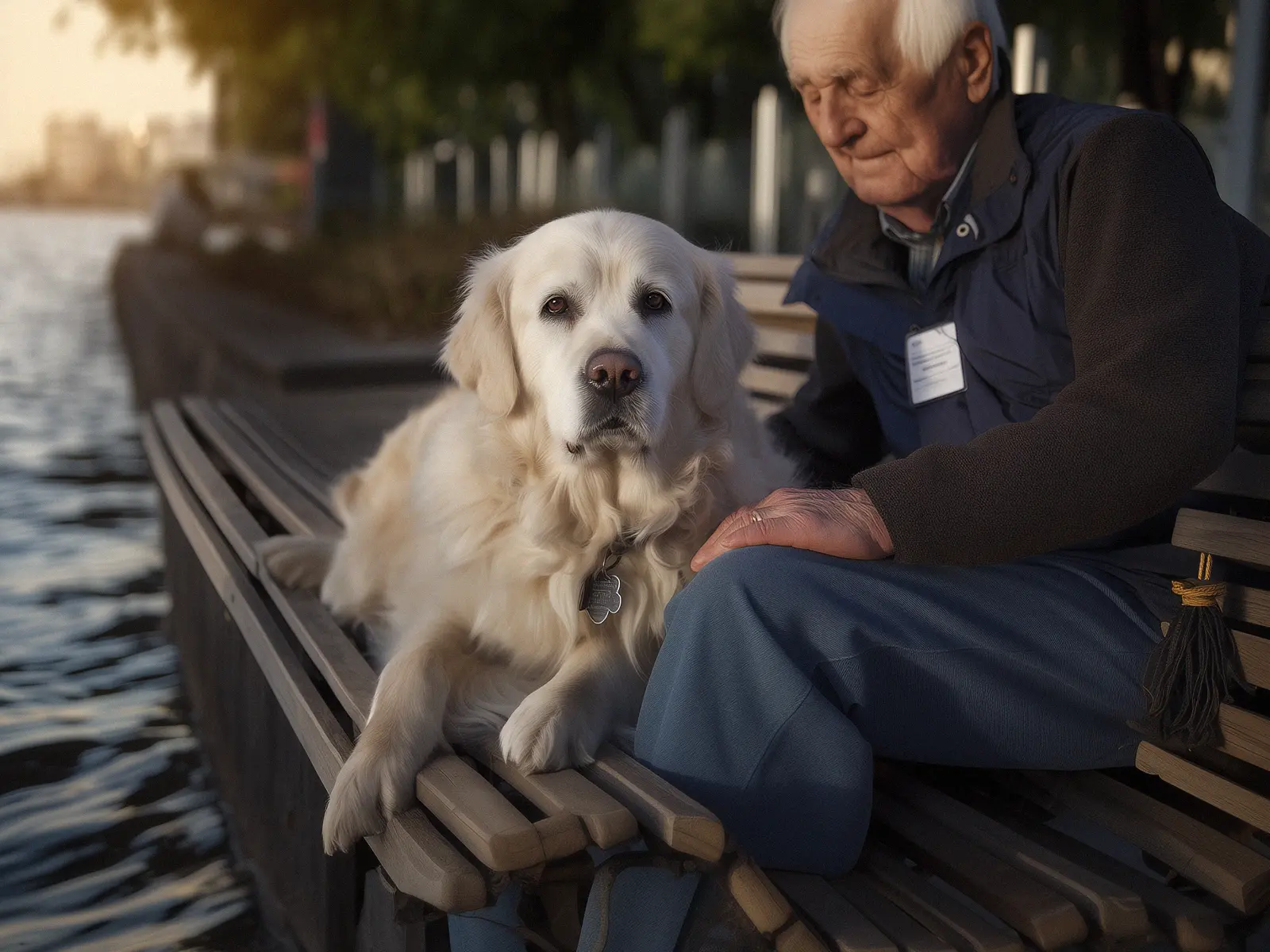
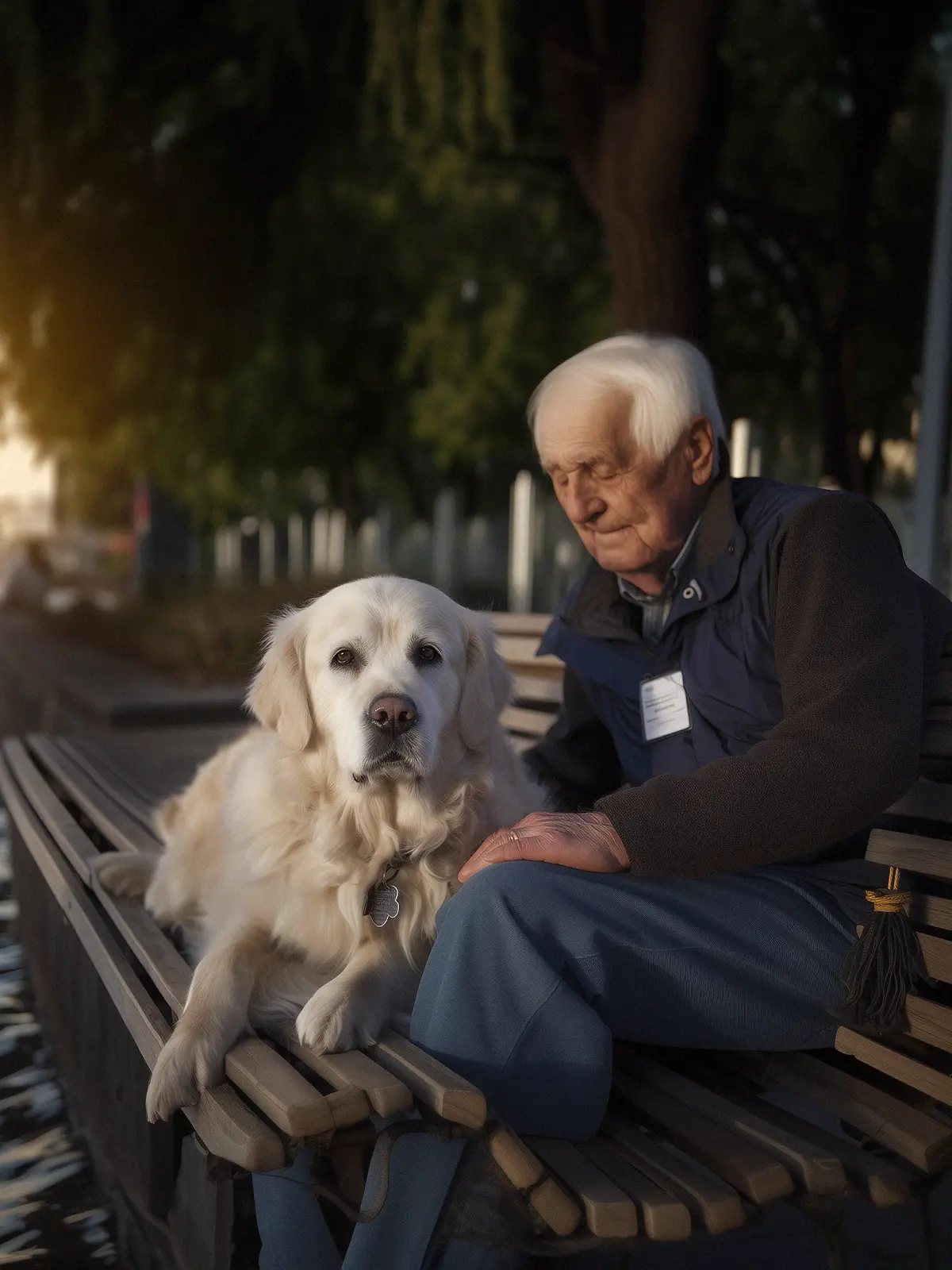
When you first look at this image, it’s hard not to focus on the cute dog lying on the bench and looking straight at you. But as you start examining the rest of the scene more carefully, something begins to feel a little off.
Challenge: Find three AI mistakes in the image below.
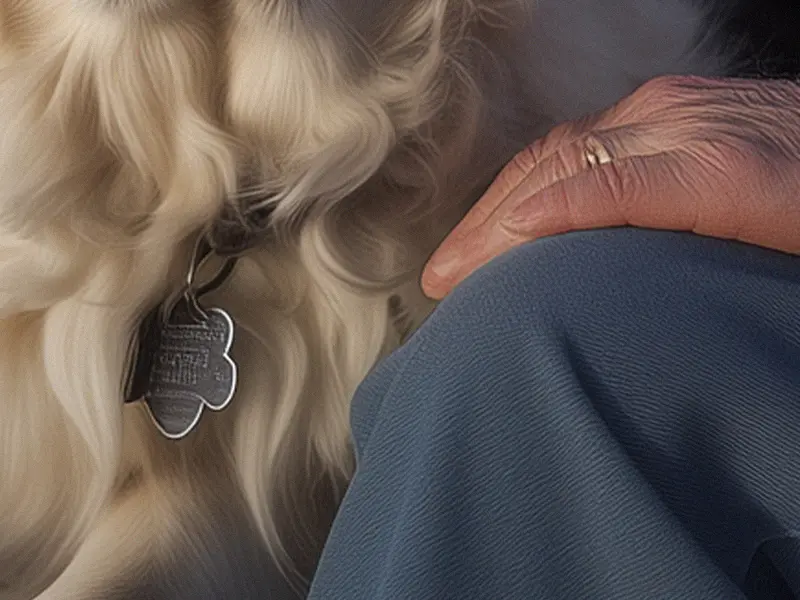
Strange dog tag and melted fingers
The dog’s tag is missing clear text, and it’s hard to tell whether the shape is supposed to be a bone or something else entirely. It looks a bit like popcorn, but it was probably meant to be a bone-shaped tag.
The man’s fingers also look unusual and almost appear to be melted together.
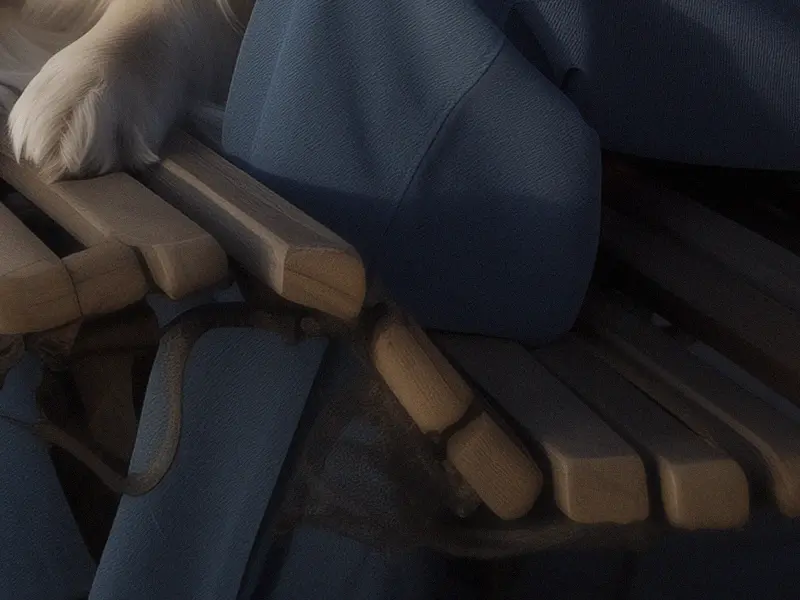
A leg passing through the bench
Something clearly isn’t right with the bench that the man and dog are sitting on. The shape of the bench looks impractical, and the dog almost appears to be floating.
The man’s leg also passes directly through the bench, which obviously makes no physical sense.
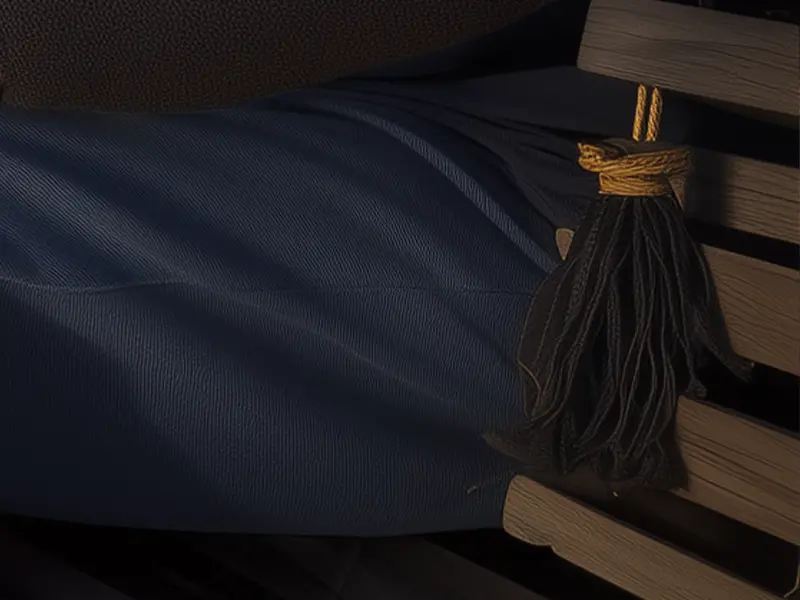
A completely random tassel
It’s unclear why, but the AI apparently decided that the bench should be decorated with a tassel.
This detail doesn’t make logical sense, especially given where it is attached.
4. The fake bride
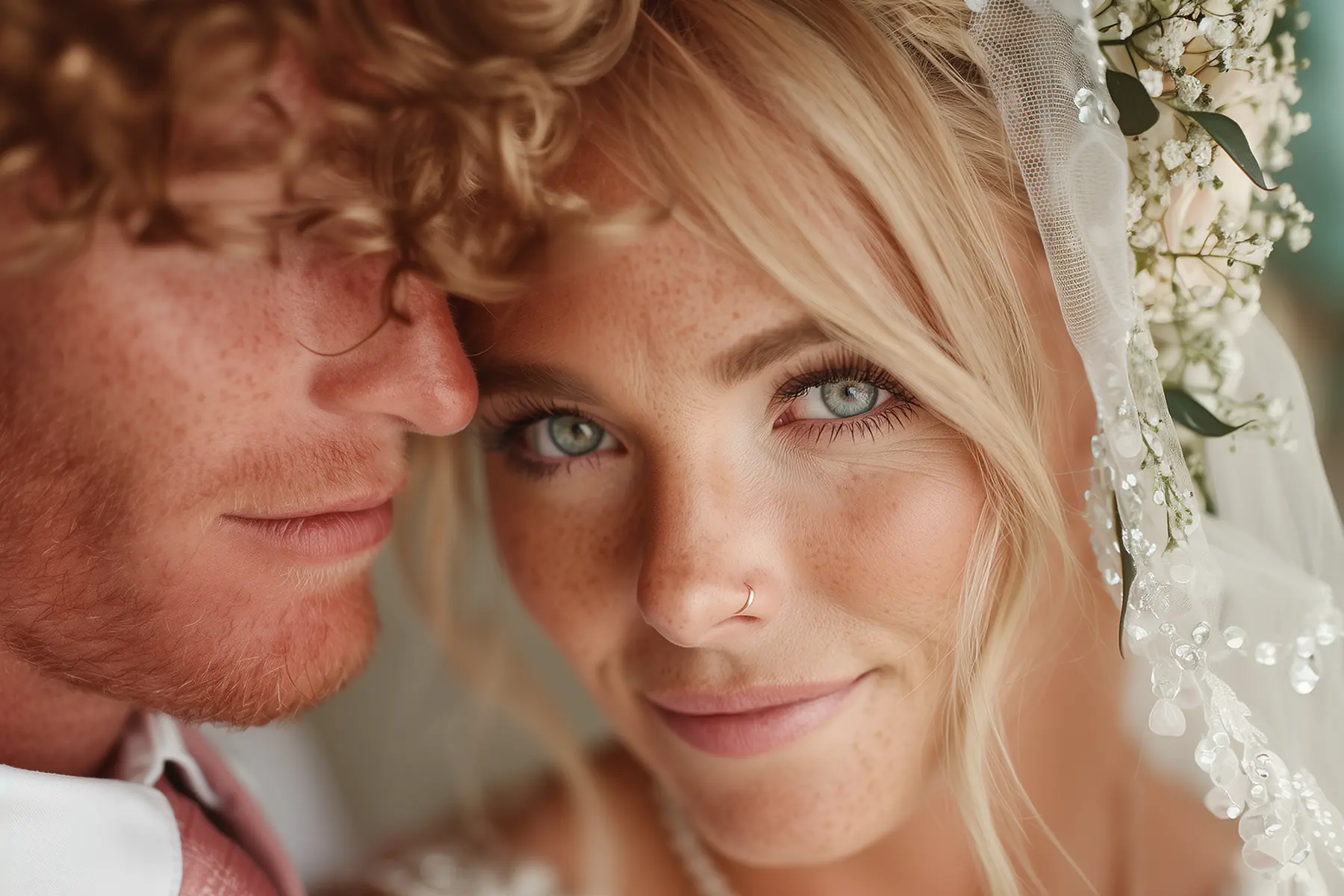
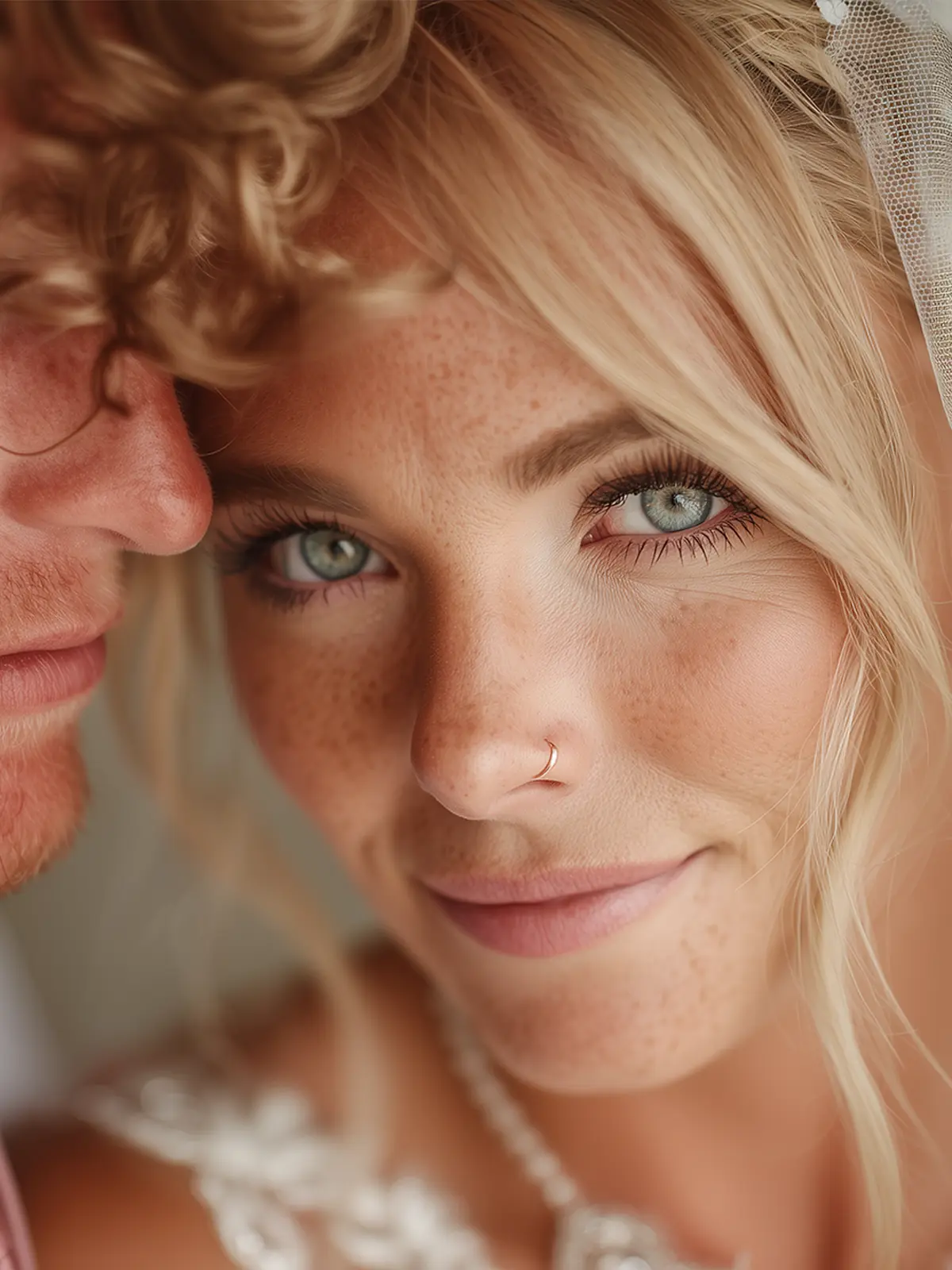
Very few moments are more beautiful than when two people say yes to each other. A groom holds his bride while she smiles gently at the camera. Unfortunately, in this case something isn’t quite right, even though the image may look convincing at first.
Challenge: Find two AI mistakes. One of them is difficult to spot, so look closely.
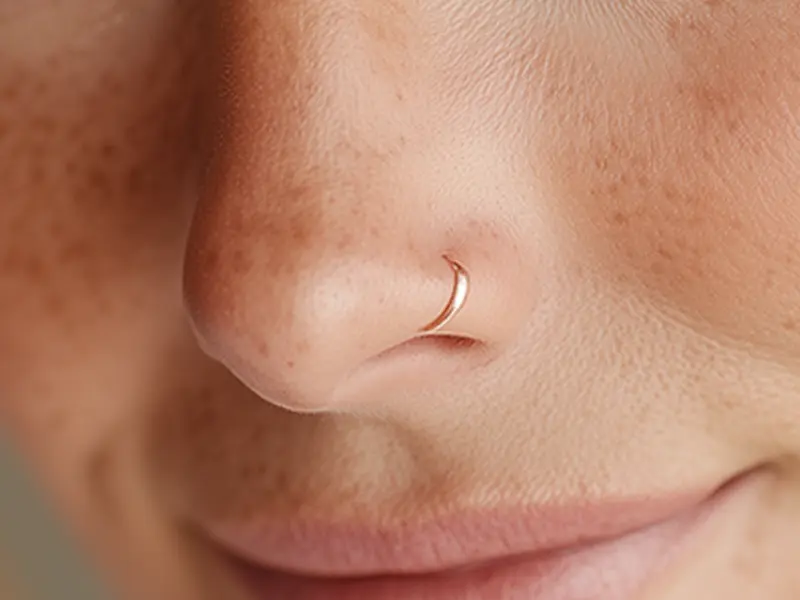
The nose ring doesn’t go behind the edge
The bride’s nose ring has a slightly strange shape, where parts of it appear both thick and thin. But the detail that really reveals the AI mistake is that the ring doesn’t go behind the edge of the nose.
In a real piercing, part of the ring would disappear behind the nostril. Here it stays fully visible, which makes the shape physically impossible.
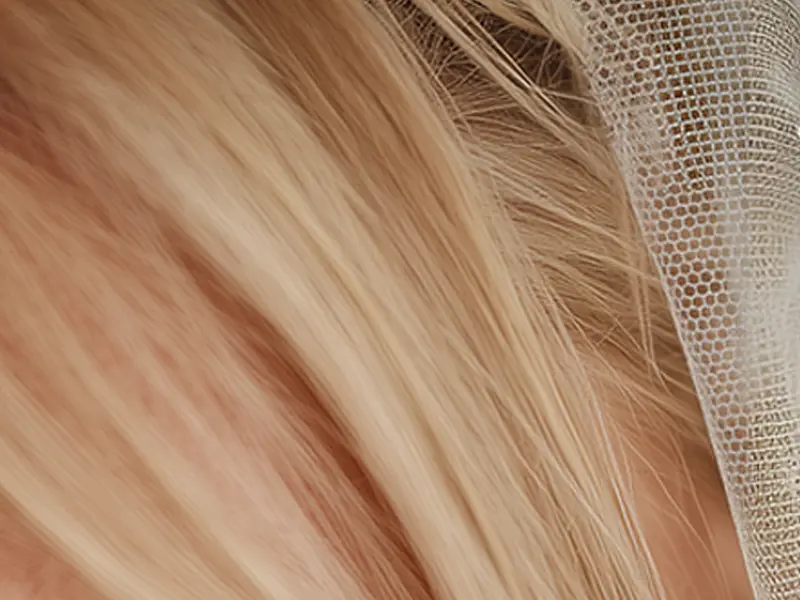
The wedding veil changes pattern
This one was a bit harder and required a closer look, but the AI makes a fairly clear mistake here.
One thing AI often struggles with is repeating patterns. In this example, the bride’s veil suddenly changes its pattern. In one area the fabric has small hexagonal holes, while in another part it switches to a completely square pattern.
5. Father and son portrait
They stand there with warm smiles and their arms around each other. But small details here and there reveal that this AI studio portrait of a father and son might not be exactly what it appears to be.
Challenge: Find two AI mistakes in the image below.
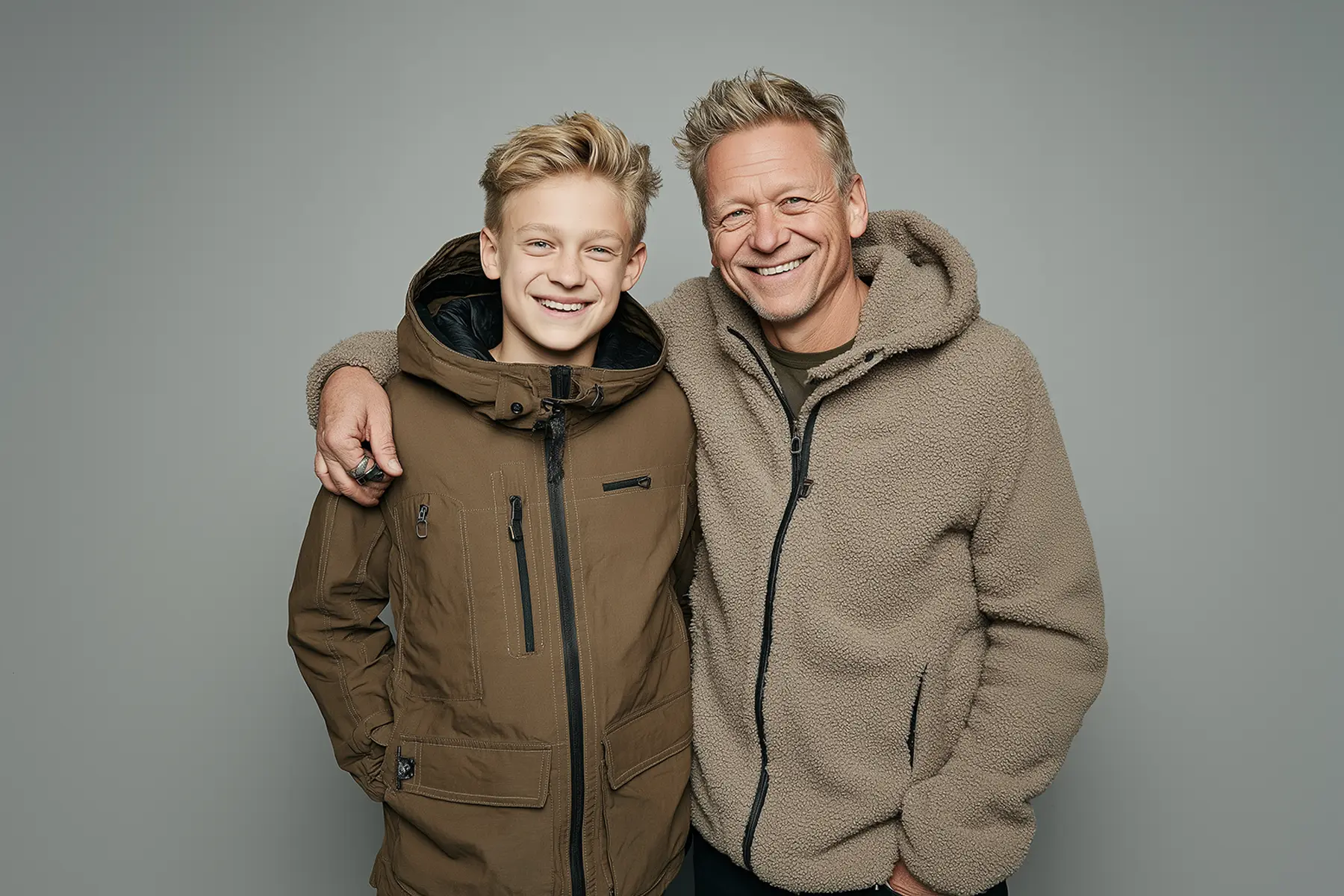
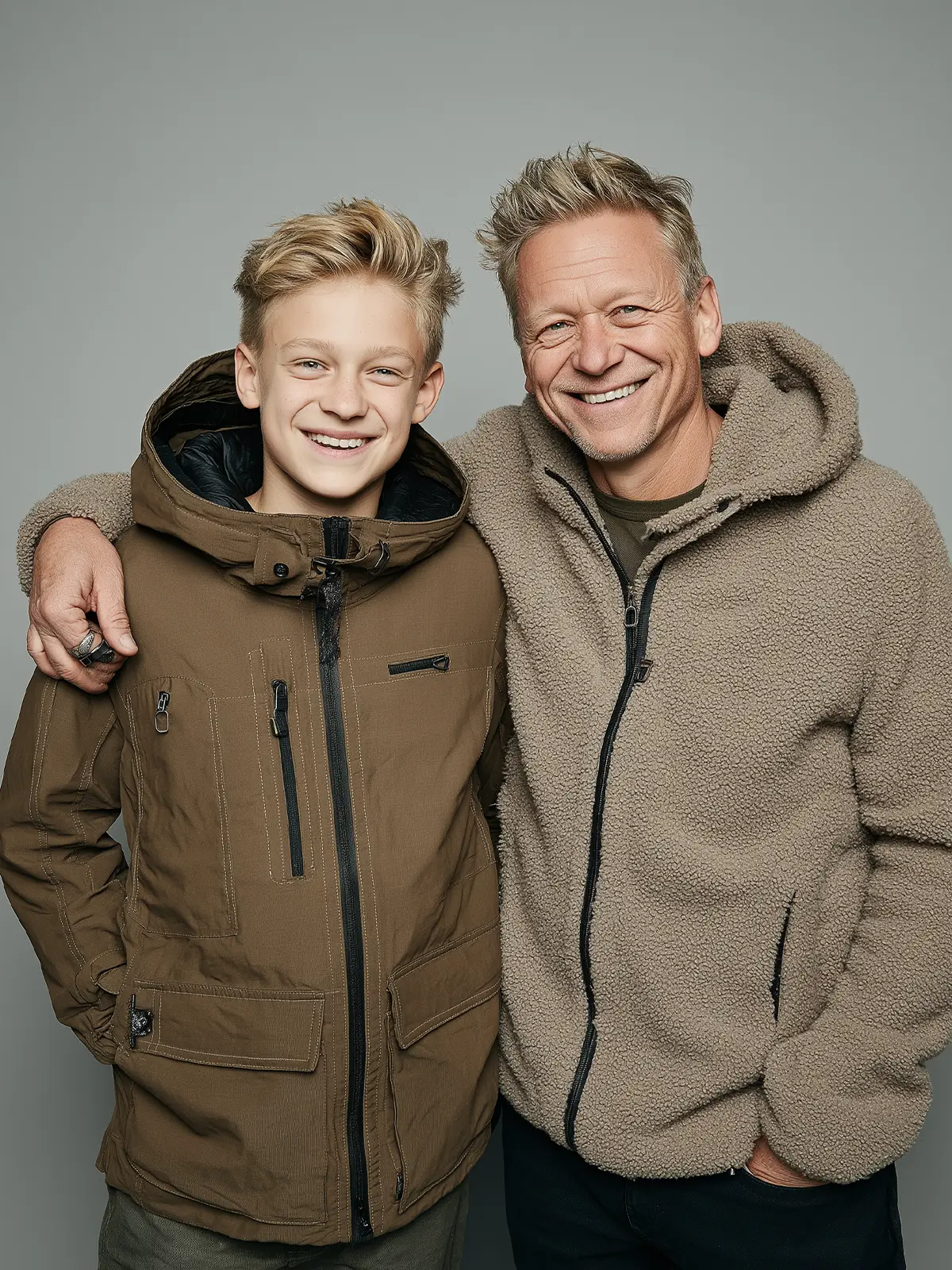
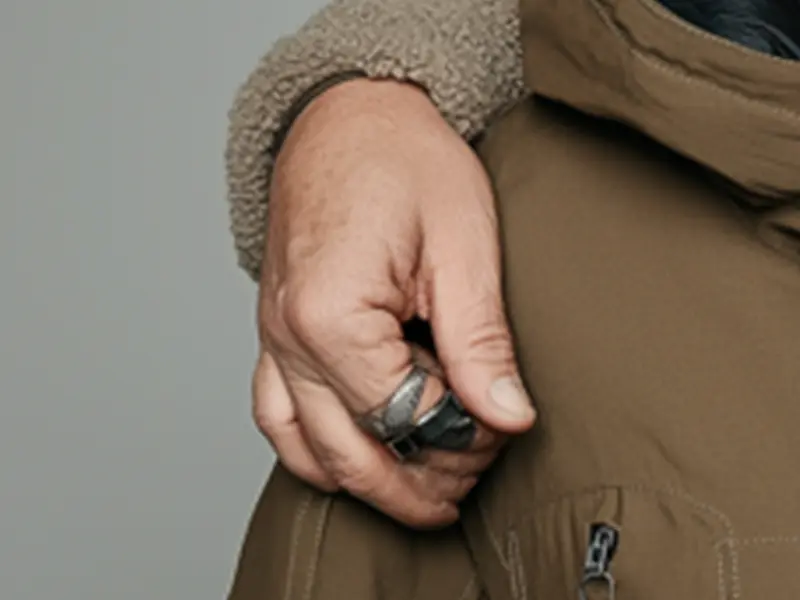
A classic: The AI hand looks clumsy
When the first AI image generators appeared, this mistake was almost guaranteed to show up in many AI portraits.
Even today, AI still struggles to create realistic AI hands and fingers. Fingers may merge together, and nails can appear placed in strange or inconsistent ways.
In this example, the problem is easy to see. The fingers look slightly merged, and the rings almost appear tangled into the hand.
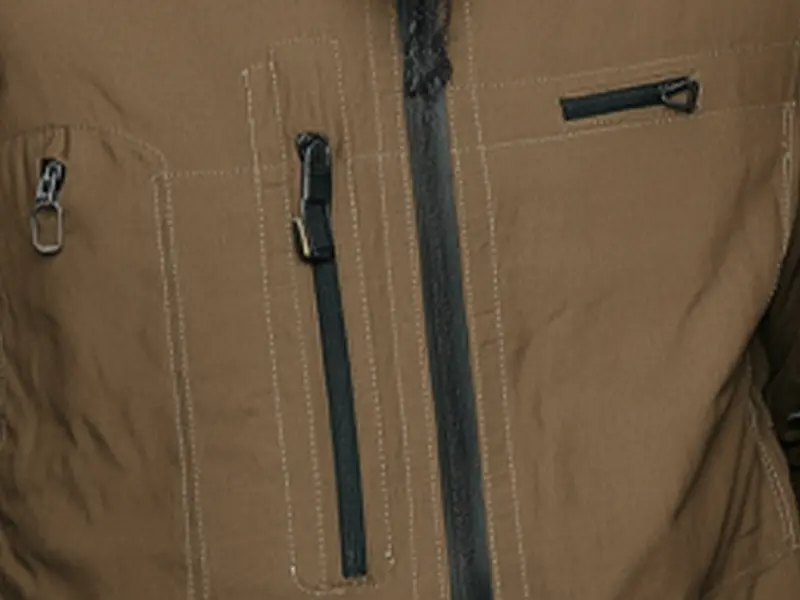
Inconsistent details
Looking at the boy’s jacket, we can once again see how AI struggles with consistency.
All four zippers look different, and the stitching runs in strange directions from left to right and up and down. The result feels messy and unnatural.
What you just learned
In this quiz you discovered some of the most common signs of AI-generated portraits. Small visual inconsistencies in eyes, objects, patterns, and hands can often reveal that an image was created by AI. But these are only a few of the checks you can use.
Want to learn more?
Get the free mini guide below:
Get the free mini guide
Get the PDF mini guide instantly. Learn the visual checks that reveal common AI portrait mistakes. Get new examples and book updates by e-mail.
